How to Check Number of SIMs Registered on Your CNIC

Last month, I received an SMS from the PTA stating that the following SIMs are registered under your CNIC number. There were 5 SIM numbers, and 4 of them were mine. However, 1 SIM number was unknown to me.
I became anxious because the SIM was not mine, but registered under my CNIC number. However, I got rid of that SIM, and in this guide, I will help you get out of this situation.
How to Check the Number of SIMs Registered on Your CNIC?
You should periodically check how many SIMs are registered on your CNIC to avoid any future issues. However, if you are not sure how to do it, then here is a simple guide for you.
1) Pick Your Mobile Phone
You need to have an active SIM in a mobile phone to check how many SIMs are registered on your CNIC number. So pick a mobile phone, and you can use anyone’s mobile for this purpose.
2) Open SMS Section
On your mobile phone, you need to open the SMS section. Open it and follow the next step.
3) Send Your 13-Digit CNIC Number to ‘668’
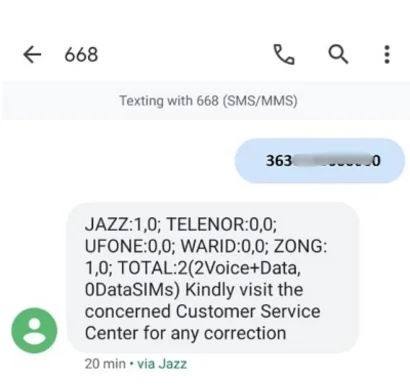
Now type your 13-digit CNIC number inside the message body and send it to ‘668’. You need to have some balance in order to send this SMS.
4) Receive SIM Details
You will get a reply from PTA, including the number of SIMs registered on your CNIC number. Check if any SIM number is not the one you have purchased.
Check the Number of SIMs Registered Against Your ID Card on Our Website
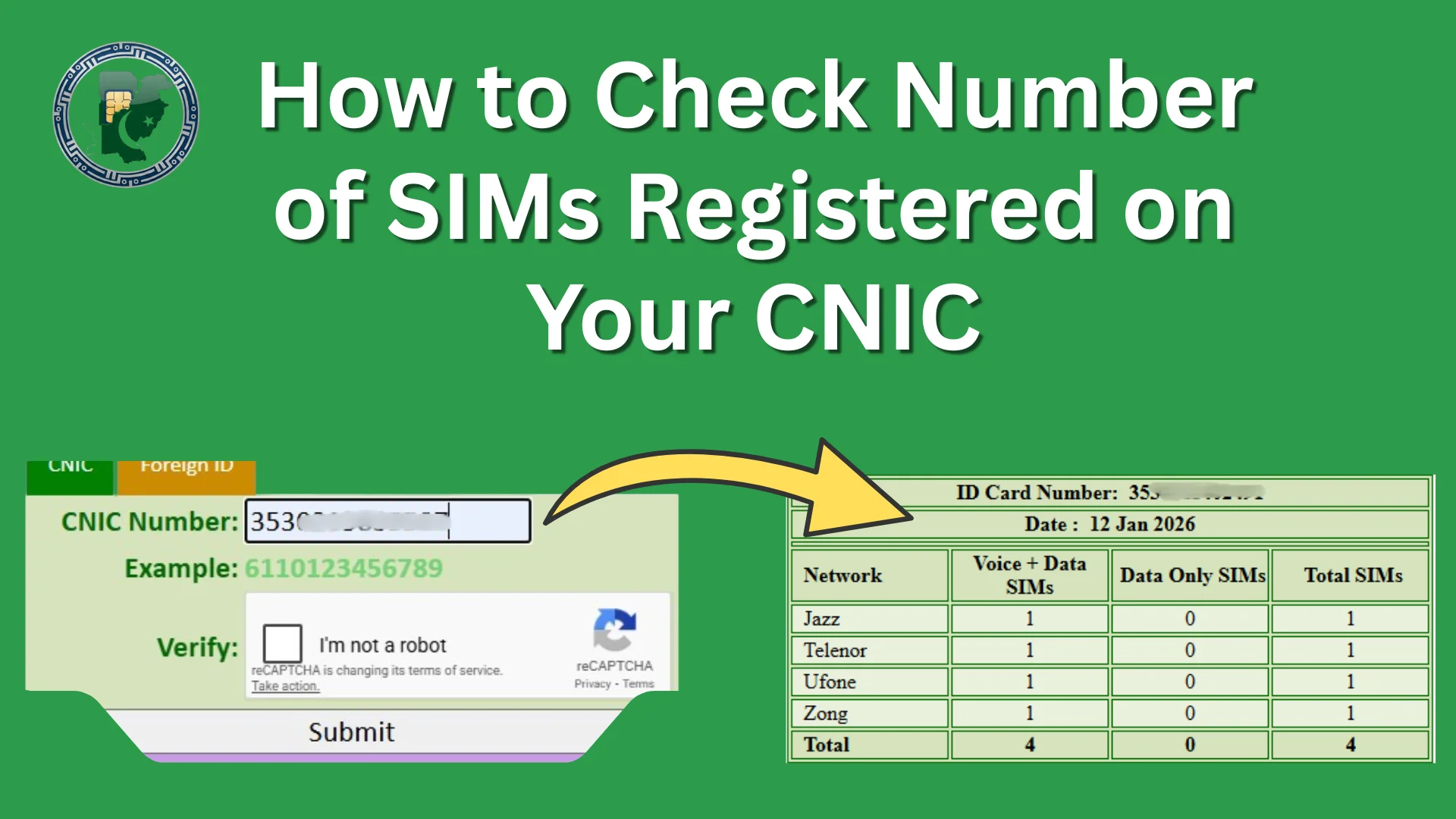
We are also providing the service to check how many SIMs are registered against your ID card. Just visit the homepage of our website and enter your CNIC number to get the complete list of SIMs registered on your ID card.
What If I Have an Unauthorized SIM Registered on my CNIC?
Now, if you find any SIM that you haven’t registered with, then take immediate action.
- Pick your original CNIC and your SIM and phone.
- Find the nearest mobile network provider customer service center and visit it during working hours (9 AM to 6 PM).
- Now go to the reception and ask the customer service agent to help you in disowning an unauthorized SIM registered in your name.
- The agent will ask for your information, such as name, CNIC number, and date of birth, to check the identity verification.
- Once your details are verified, the agent will ask you to perform a biometric verification using your fingerprint impressions on a biometric verification device.
- Pass the verification, and your unauthorized SIM will be disowned from your CNIC number.
Note: You can not disown a SIM on a helpline. You need to visit the franchise in person for this purpose. Also, make sure that the SIM is no longer registered on your CNIC.